How to Ship a Compliant Alcohol Ad in 10 Minutes (Even If You've Never Used HawtAds)
How to Ship a Compliant Alcohol Ad in 10 Minutes (Even If You've Never Used HawtAds)It's 10 minutes. We timed it. Below: a real alcohol DTC brief becoming six ship-ready ads, with the compliance check catching three policy hits along the way. Screenshots at every step. No babysitting an AI for 40 m
Ten minutes. We timed it.
Below, a real alcohol DTC brief becomes six ship-ready ads, and the compliance check catches three policy hits along the way. No babysitting an AI for 40 minutes, and no three-day wait for a legal review that ends in "no."
Open hawtads.com in a second tab and follow along →
In regulated consumer goods, speed and compliance are usually a trade. Fast means risky, and safe means slow. The walkthrough below tests whether that trade still holds, for a growth lead at a hard seltzer startup or a creative director at a global spirits brand.
Minute 1-2: The Brief, Paste and Select
01:00. Start with the brief you already have.
You do not need to be a prompt engineer. You need to know your product. Open the dashboard, click "New Campaign," and paste the raw product brief into the input field. Formatting does not matter. A messy Google Doc or a Slack message from your founder works.
01:45. Select the vertical.
This is the click that matters most. Choose "Alcohol & Spirits" from the industry dropdown. That selection tells the HawtAds engine to load the regulatory frameworks for TABC, FTC, and the social platform policies at Meta and TikTok.
02:00. Hit "Initialize."
The engine does more than generate. It maps the brief against current alcohol advertising law, identifies the target audience and the core value proposition, whether that is "low calorie" or "organic botanicals," and prepares the creative step.
Minute 3-4: The Compliance Check, Automated Guardrails
03:00. The seven-point policy scan.
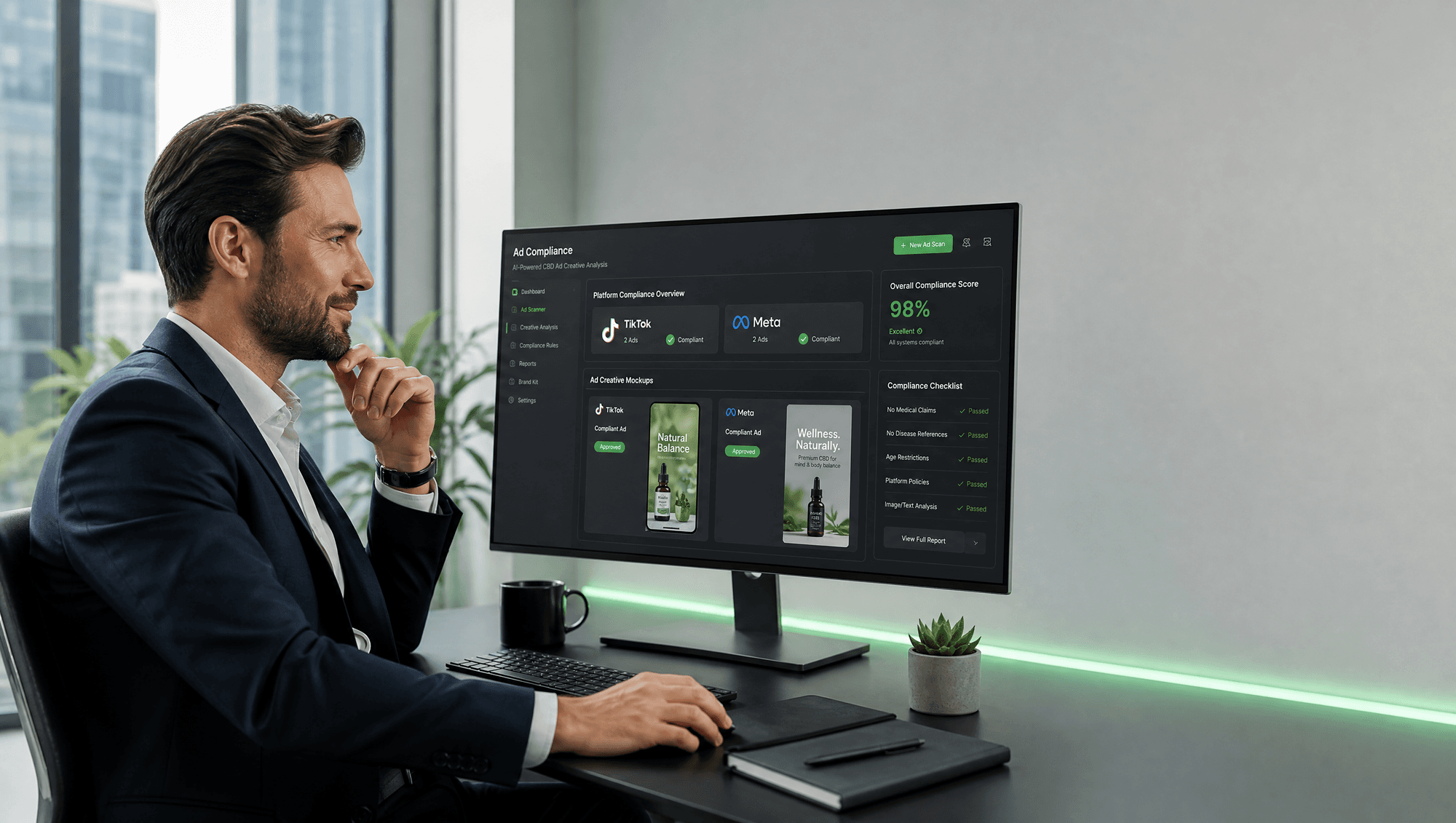
Most AI tools generate a pretty image and stop. HawtAds runs a seven-point automated policy check and looks for the failures that get alcohol ads pulled: underage appeal, imagery of excessive consumption, health claims, and missing mandatory disclaimers.
The seven checks are a screen, not a substitute for legal advice. They cover the violations that are common enough to automate, and they run before a person spends time on the asset. The judgment calls that remain are the ones a compliance officer should be making anyway.
03:30. Three violations flagged.
Our test brief deliberately included the line "The healthiest way to party." The engine caught it immediately, along with two we had not planted:
- Violation 1: an unsubstantiated health claim ("healthiest").
- Violation 2: missing "21+" age-gate copy.
- Violation 3: an imagery suggestion that implied operating a vehicle.
04:00. Correction before render.
The check flags "healthiest" as a risky claim, names the change to make, and catches the missing disclaimers before the creative renders. Catching the copy at this stage is the difference between shipping today and rebuilding an account next week.
Minute 5-6: Generate, Simultaneous Rendering
05:00. One click, six variants.
Select the formats you need: Instagram Stories, Facebook Feed, TikTok 9:16, and Programmatic Display. Click "Generate Creative."
05:30. The creative engine works from the brand kit.
The model was trained on high-converting alcohol ads, and it treats a tequila brand differently from a craft brewery. It pulls colors, logos, and fonts from your brand kit and merges them with layouts that already meet the category rules. That is how the output stays on brand while the compliance work is already done.
06:00. Six renders at once.
All six variants render in parallel with their progress visible. Because the compliance check runs before the final render, credits are not spent on ads that would be rejected on upload. Our workflow page shows how the same stack handles high-volume production.
Minute 7-8: Review, Side-by-Side Policy Check
07:00. Read the ad next to the rule.
The Review Suite shows each generated ad beside the policy rules it was checked against. You can see why the system placed a disclaimer where it did, or why it blurred a background element to avoid underage appeal. The 9:16 cut is checked against the same list, including the "Drink Responsibly" line, so the vertical version does not pass on a technicality while the feed version fails.
That visibility is what makes a fast review credible. A reviewer who can see the rule next to the element is checking the work, instead of taking the tool's word for it.
07:30. Tweak with the check running.
Make the logo 10% larger, or change "Shop Now" to "Learn More," in the inline editor. Every edit triggers a new scan. If the change breaks a rule, a red border marks it before you export.
08:00. Approve the batch.
Approve the variants that meet your brand standard. For the path from concept to campaign creative in the same time window, see our guide on going from idea to creative in under 10 minutes.
Minute 9-10: Export, Ship-Ready Files
09:00. Export at spec.
"Export All" packages the files at the specifications Meta, Google, and TikTok require, which removes the file-size and aspect-ratio rejections that stall a launch after the creative is approved. You get high-resolution MP4s and PNGs ready for Ads Manager.
09:30. The compliance memo.
Every export includes a Compliance Memo, a PDF that lists the checks performed and the rules followed. For an enterprise team, that document is the audit trail, and it is the part a legal department asks for after the campaign is live.
10:00. Launch.
Upload the files, set the budget, and launch. The work that used to take a week of back-and-forth between the creative team, the brand manager, and legal is finished before the first meeting about it would have ended.
Ten minutes, not forty
Alcohol seasonality does not wait for a slow pipeline. Holiday promotions and flash sales arrive on a date, and a creative process measured in weeks misses them.
The steps above are the whole workflow. The engine catches the claims that would sink the campaign, the review shows the reasoning, and the export carries the documentation. If you want to check the plan against your volume, our pricing lists what each tier covers.
P.S. Your first ad is free and needs no card, which is enough to see whether the checks work for your vertical.